A study notebook to break down, connect, and understand
Cognicull is a study notebook where you break down what you want to learn into parts and connect them to their foundational concepts. The concepts you connect are shown as a tree.

iPhone (iOS 17 or later)
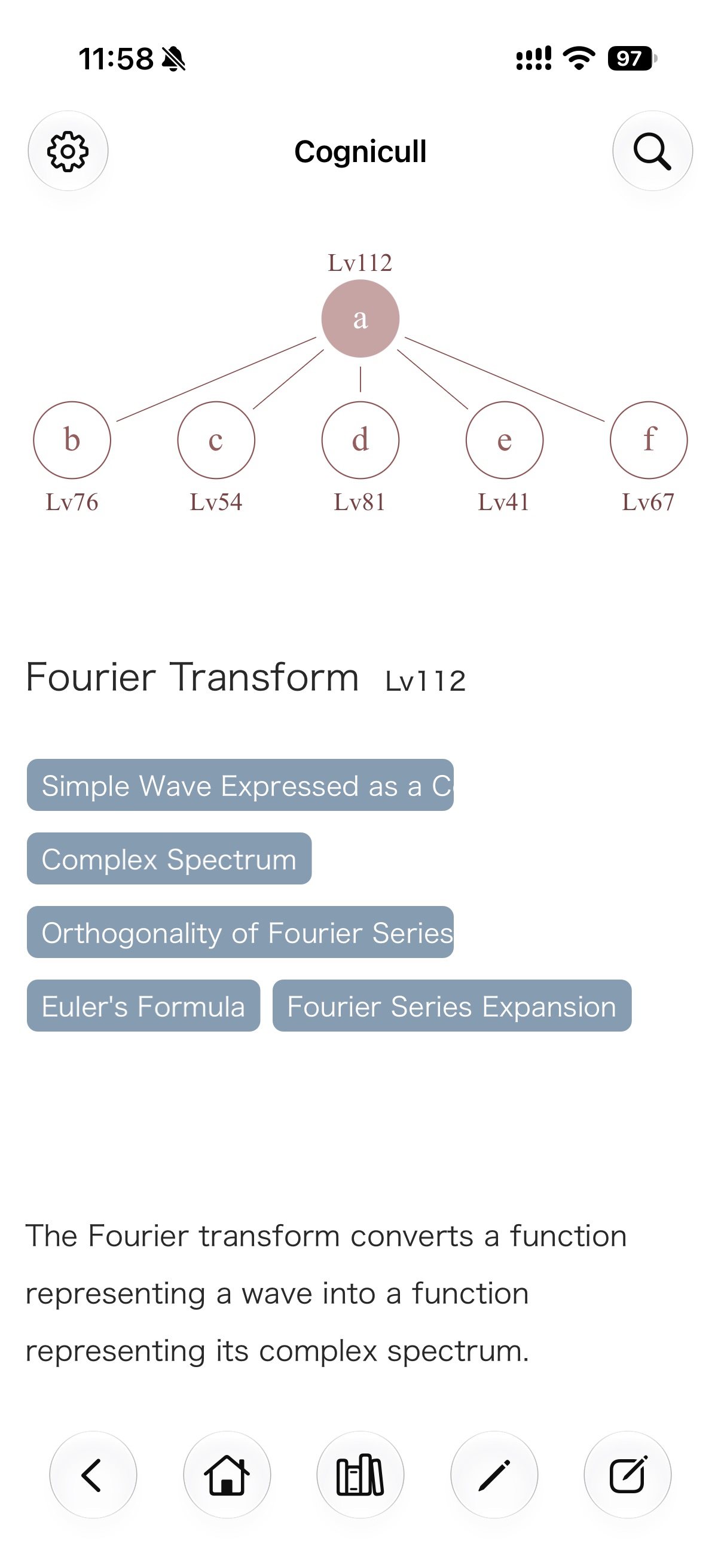
Every concept builds on others
To understand one concept, you need the concepts it builds on. In Cognicull, you work out how concepts relate, connect them yourself, and turn them into notes.
For example, in the screen at the top, these five concepts are connected beneath Fourier Transform.
How to break a concept down isn’t decided from the start. You find it yourself as you learn.
How it works
-
Break down
Think about what you need in order to understand a concept, and break it into parts.
-
Connect
Connect those parts to it as its Foundational Concepts.
-
Move between them
Connected concepts are shown as a tree. With the tree and the links in the text, you can move between foundational and more advanced concepts.
If Euler’s formula feels unclear while you’re reading about the Fourier transform, go down to it. Once you’ve checked it, go back to the Fourier transform. Moving back and forth between connected concepts, you deepen your understanding.
Lv
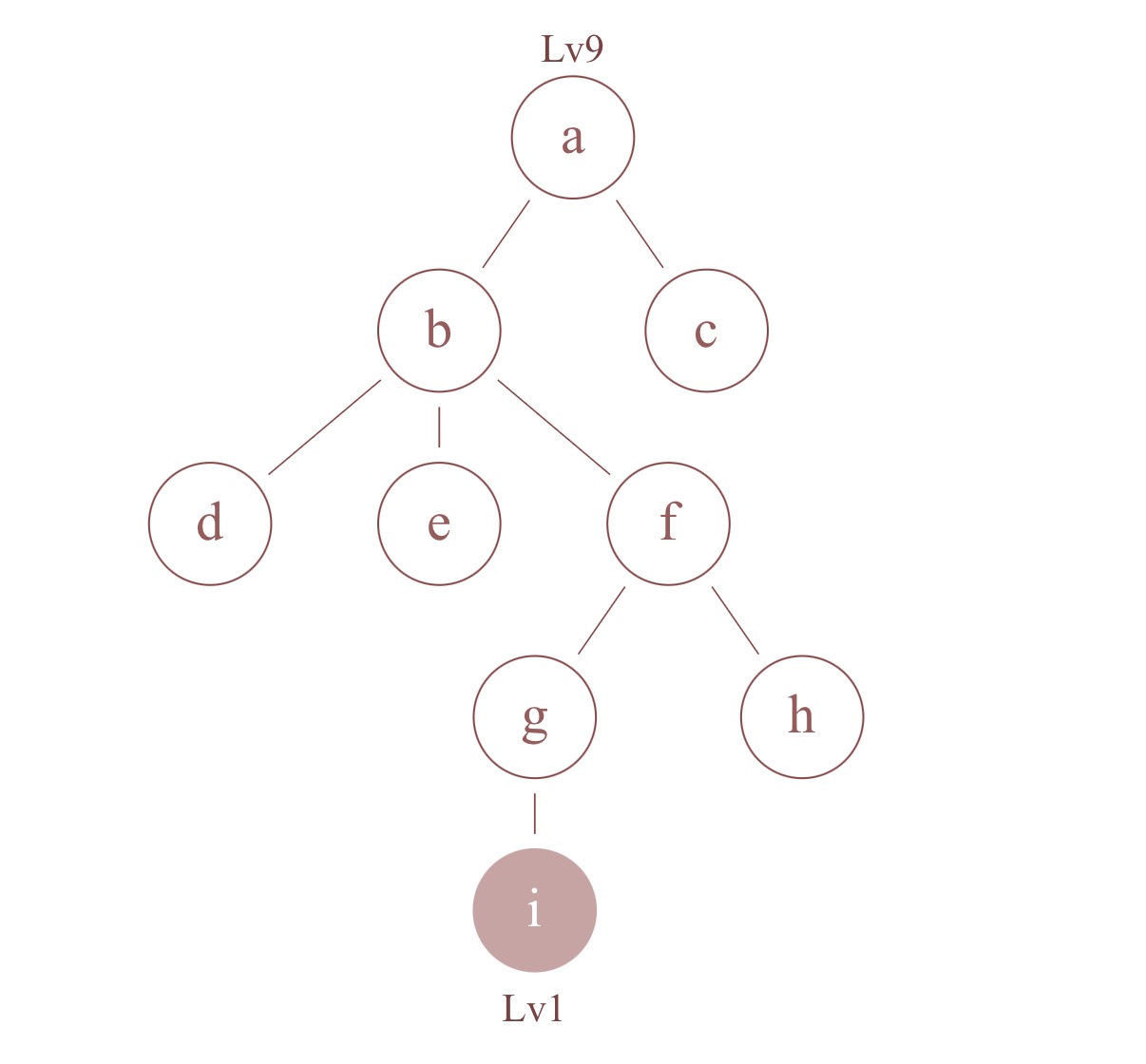
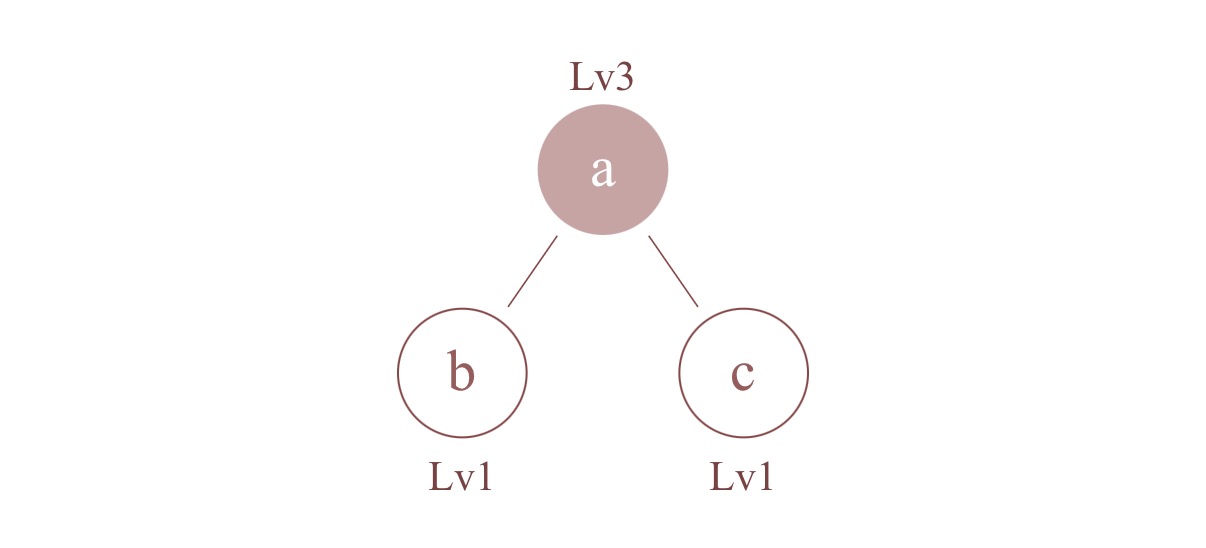
Lv is the number of concepts counting the concept itself and every concept beneath it. Fourier Transform at Lv112 has 111 concepts connected beneath it.
A simple structure
One kind of relationship
The only relationship between concepts is “foundational concept,” so there’s no need to decide how to connect them.
Connecting is organizing
Connecting concepts organizes them as you go. The tree and Lv are created automatically.
The tree stays simple
Unnecessary connections are prevented automatically.
Links are automatic too
When a concept’s title or keyword appears in the text of a concept above it, it becomes a link to that concept automatically.
Writing
A concept is made of a title and a body. You can edit the body at any time, and changes are saved automatically. The body can include the following.
Clear structure
Organize with headings, lists, boxes (note, warning, code), and images. A table of contents is created from the headings.
Math
Type math in TeX and see it rendered cleanly. If you don’t know the syntax, you can ask an AI such as ChatGPT to “write it in TeX.”
Interactive materials
Add an HTML file to the body, and its diagrams and interactive materials run as they are. You can make one yourself by asking an AI to “make it as a single HTML file.”
List and search
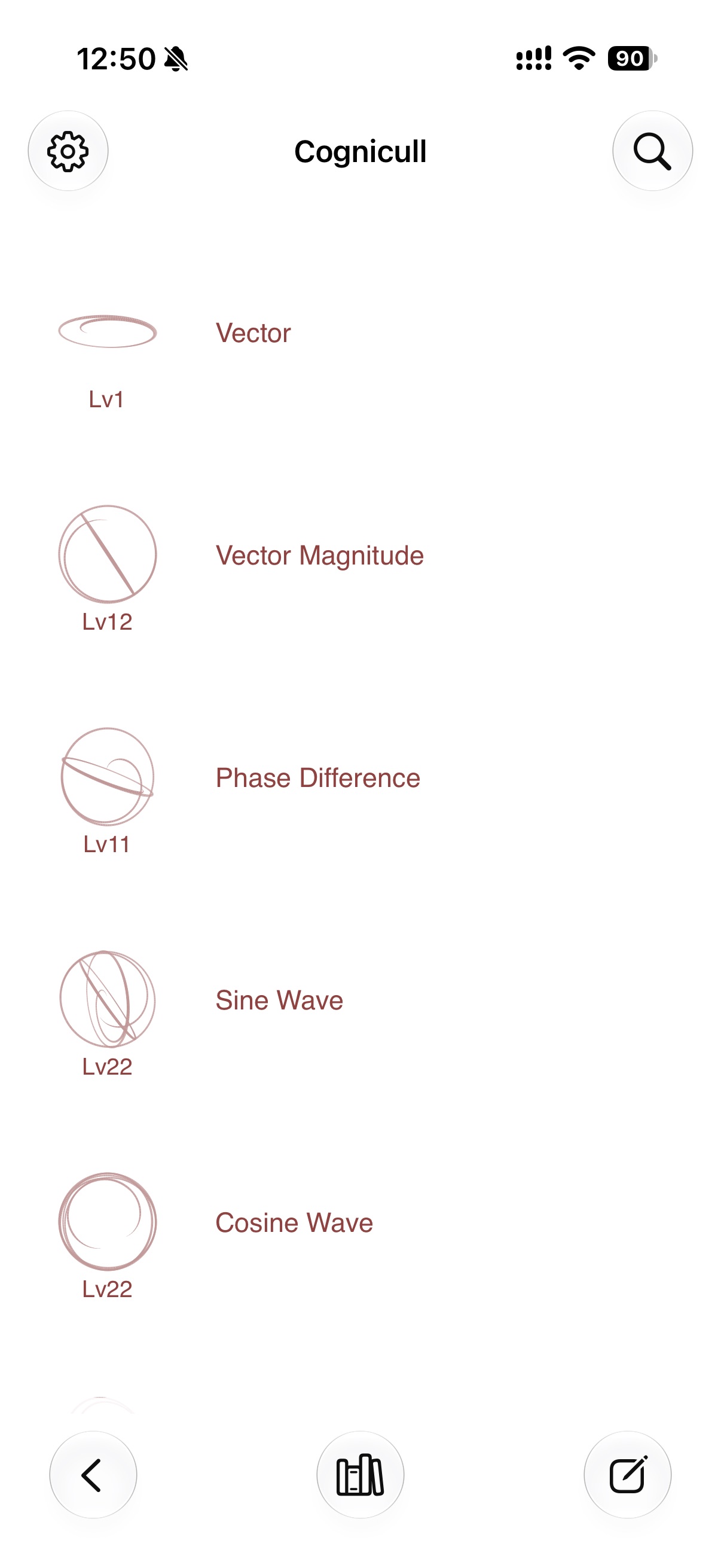
The home screen lists your recently edited concepts with their Lv.
- Search by title, keyword, or body text
- Create your own collections, such as Favorites or In Progress
- Empty Concepts, Standalone Concepts, and Uncategorized are listed automatically
Your data
Works offline
You can use it without an internet connection.
Syncs with iCloud
Concepts, trees, collections, and images sync between devices signed in with the same Apple Account. We don’t use our own servers.
Automatic backups
On days you make changes, a backup is saved on the device automatically (the latest 7 are kept). You can also export everything as a single file.
No sign-up or ads
No account registration, ads, or tracking.
iPhone (iOS 17 or later)